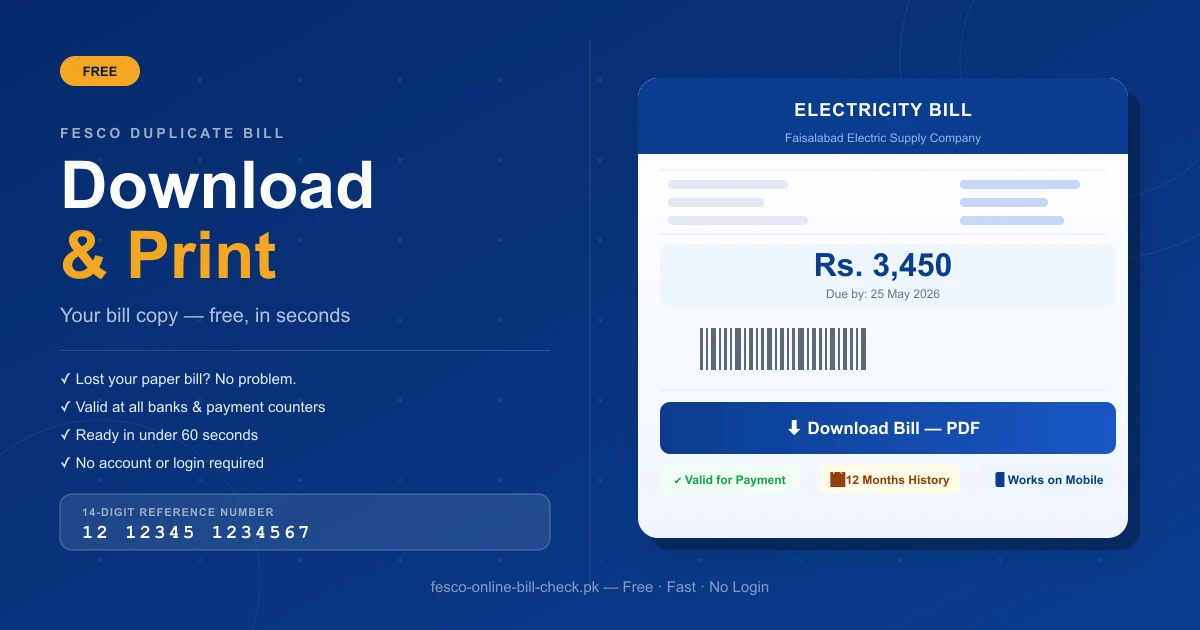
Lost your FESCO bill? Did it not arrive at your door this month? No problem. You can get a complete FESCO duplicate bill online in less than a minute — for free, from any mobile or computer, without visiting any office.
This guide covers exactly how to download your FESCO duplicate bill, print a hard copy, where to find your Reference Number, what information is shown on the bill, and how to use the duplicate copy for payment. Ready to get started right now? Check and download your FESCO bill instantly.
Cost to Download
100% Free
Time to Get Bill
A Few Seconds
Reference Number
14 Digits Required
Bill History Available
Last 12 Months
What Is a FESCO Duplicate Bill?
Duplicate Bill Meaning in Simple Words
A duplicate bill is an exact digital copy of your original FESCO electricity bill. It contains all the same information — your name, reference number, amount due, due date, units consumed, and taxes — just like the paper bill delivered to your door.
The word "duplicate" simply means a second copy. It is not a different bill. It is the same bill, available online, and is a legally valid document accepted at all banks, payment counters, and FESCO offices.
Is the FESCO Duplicate Bill Free?
Yes. Downloading and printing your FESCO duplicate bill is completely free. You do not need to register, create an account, or pay any fee. Just enter your Reference Number and your bill appears instantly.
Why Do People Need a FESCO Duplicate Bill?
Thousands of FESCO consumers search for their duplicate bill every day. Here are the most common reasons:
- Bill not received — The paper bill was not delivered to your address on time or at all
- Bill lost or damaged — The original paper copy was misplaced, torn, or wet
- Bill needed for bank payment — Banks and mobile apps require your bill details to process payment
- Record keeping — Keeping a digital copy for personal financial records
- Verification of charges — Checking if the bill amount looks correct before paying
- Payment after due date — Getting a fresh copy that shows the updated surcharge amount
ℹ️ Duplicate Bill Is Legally Valid
The FESCO duplicate bill downloaded online is fully accepted for payment at any bank branch, JazzCash and EasyPaisa counters, ATMs across Pakistan, Pakistan Post offices, and UBL Omni shops.
What Do You Need to Get Your FESCO Duplicate Bill?
Your 14-Digit Reference Number (Most Important)
The only thing you need is your 14-digit Reference Number. This number is printed on the top-left corner of any old FESCO paper bill. It is your permanent account identifier and never changes.
The Reference Number looks like this:
12 12345 1234567 (Batch No. + Sub-division + Account Number)
It may also have a letter at the end — U for Urban area or R for Rural area.
For a detailed explanation of where to find your Reference Number and the difference between it and your Consumer ID, read our guide on how to check FESCO bill by reference number.
Your 10-Digit Consumer ID (Alternative)
If you cannot find your Reference Number, you can also use your 10-digit Consumer ID, which is printed just above the Reference Number on your paper bill.
What If You Have No Old Bill at All?
If you have no old bill and do not know your Reference Number or Consumer ID:
- Call FESCO helpline at 111-000-118 — give your name and address and they can provide your account details
- Visit your nearest FESCO Sub-Division office — bring your CNIC and they will look up your account
⚠️ Cannot Search by CNIC or Name
You cannot search your FESCO bill by CNIC, name, address, or meter number online. The Reference Number or Consumer ID is the only way to access your bill digitally.
How to Download FESCO Duplicate Bill Online — Step by Step
Open a FESCO Bill Check Portal
Open your phone or computer browser and visit any trusted FESCO bill check website. The official PITC portal is at bill.pitc.com.pk/fescobill. You can also use our free FESCO bill check tool.
Enter Your 14-Digit Reference Number
Type your 14-digit Reference Number in the input field on the homepage. Enter all digits without any spaces, dashes, or gaps. Even one wrong digit will show a "Bill Not Found" error. If you are using your Consumer ID, enter the 10-digit number in the same field.
Click Check Bill or Generate Bill
Press the button on screen. Your current FESCO bill will appear within a few seconds showing: total amount due, due date, units consumed this month, meter reading date, issue date, and amount payable after due date (with surcharge).
Click View Full Bill for Complete Details
To see the complete breakdown of your FESCO duplicate bill including all taxes and 12 months of payment history, click the "View Full Bill" button. Want to understand what every charge on your bill means? Read our complete FESCO bill taxes guide.
Download the Bill as PDF
To save your duplicate bill to your phone or computer: click the "Print Bill" button, open the print dialog, change the destination to "Save as PDF", click the blue "Save" button, and choose where to save the file on your device. Your duplicate FESCO bill is now saved — free, and ready to use for payment.
Print a Physical Copy
If you need a printed paper copy for payment at a bank or franchise: click the "Print Bill" button, select your connected printer in the print dialog, and click "Print". Take the printed copy to any bank or payment counter. You can also press Ctrl + P on your keyboard as a shortcut to open the print dialog.
How to Download FESCO Duplicate Bill on Mobile Phone
Mobile Download Process (Android and iPhone)
The process on mobile is exactly the same as on a computer. All FESCO bill check portals are mobile-friendly and work on any smartphone browser.
- Open your phone browser (Chrome, Safari, or any browser)
- Go to the FESCO bill check website or use fesco-online-bill-check.pk
- Enter your Reference Number and tap "Check Bill"
- Your bill appears on screen
- Tap "Print Bill"
- In the print options, select "Save as PDF" or "Download PDF"
- The PDF saves directly to your phone's downloads folder
How to Share Your Duplicate Bill on WhatsApp
Once the bill is saved as a PDF on your phone:
- Go to your Downloads folder
- Long press the bill PDF file
- Tap Share
- Select WhatsApp and choose the contact
This is useful when a family member or accountant needs the bill for payment.
What Information Is Shown on the FESCO Duplicate Bill?
When you open your full FESCO duplicate bill online, you will see all of the following information:
Consumer Information Section:
- Consumer name and full address
- Reference Number (14-digit)
- Consumer ID (10-digit)
- Feeder name and subdivision
If the consumer name shown here belongs to a previous owner or tenant, see our guide on how to change the name on your electricity bill to get it corrected.
Billing Information Section:
- Billing month
- Meter reading date and bill issue date
- Due date (pay by this date to avoid surcharge)
- Previous and current meter readings
- Units consumed (difference between readings)
Charges and Taxes Section:
- Energy charges (cost of units consumed by slab)
- Fixed monthly charge (meter rent)
- Fuel Price Adjustment (FPA)
- General Sales Tax (GST) at 17%
- Electricity Duty
- Finance Cost (FC) Surcharge
- NJ Surcharge (Neelum-Jhelum)
- PTV fee (Rs. 35/month)
- Any outstanding arrears from previous months
Payment Summary Section:
- Total amount due before due date
- Total amount payable after due date (with surcharge)
- Payment history for last 12 months
🔴 Always Check the Due Date
The due date is clearly printed on every FESCO bill. Pay on or before this date to avoid the late payment surcharge. If you pay after the due date, a fixed penalty is automatically added and appears on your next month's bill.
How to Check FESCO Old Bill — Previous Month History
Can I Download Last Month's FESCO Bill?
Yes. FESCO keeps a record of your last 12 months of bills and their payment status. When you view your full bill online, scroll to the payment history section at the bottom. It shows:
- Month-by-month bill amounts
- Whether each bill was paid or unpaid
- Amount paid and date of payment
Can I Check Bills Older Than 12 Months?
Currently, the FESCO online portal only shows the last 12 months. For bills older than one year, you need to visit your nearest FESCO Divisional office and request historical records with your account details and CNIC.
FESCO Duplicate Bill Common Errors and How to Fix Them
Error: "Bill Not Found"
This is the most common error. It happens when:
- You entered the wrong Reference Number — recheck every digit carefully
- You included spaces or dashes — enter numbers only, no gaps
- Your bill for this month is not yet generated — try again in 2 to 4 days
- You are a new consumer — your first bill may not be available online yet
Error: "Invalid Reference Number"
This means the number you entered does not match any active FESCO account. Double-check your old paper bill and re-enter the number. If the problem continues, call 111-000-118 for support.
Bill Amount Looks Wrong — What to Do
If the amount on your duplicate bill seems too high or incorrect:
- Check the units consumed — see if the meter reading looks right
- Compare with your previous month's bill
- If something is wrong, call FESCO helpline at 111-000-118
- You can also register a complaint through the CCMS portal online
- Visit your nearest FESCO Sub-Division office for a billing correction
Duplicate Bill Not Loading — What to Try
- Refresh the page and try again
- Switch from Wi-Fi to mobile data (or vice versa)
- Clear your browser cache and cookies
- Try a different browser (Chrome, Firefox, Edge)
- Try a different FESCO bill check portal
How to Get FESCO Bill via SMS — No Internet Needed
If you do not have internet access, FESCO provides a free SMS service:
Open Messaging App
Open your phone's messaging app.
Type the SMS
Type: PITC (space) your 14-digit Reference Number — for example: PITC 12123451234567
Send to 8334
Send this message to 8334. Once activated, FESCO will send your bill summary via SMS every month on the billing date — showing bill amount, due date, and units consumed.
How to Pay After Downloading Your FESCO Duplicate Bill
Online Payment Methods
After downloading your duplicate bill, you can pay immediately through:
- JazzCash — Open the app, go to Bill Payments, select FESCO, enter your Reference Number
- EasyPaisa — Same process as JazzCash, available in the app or at any EasyPaisa shop
- NayaPay — Select utility bills, choose FESCO, enter Reference Number
- Bank Mobile App — HBL, UBL, MCB, Meezan, Allied Bank, and most others
- Internet Banking — Log in to your bank's website and pay through the utility bills section
- ATM — Insert your debit card, go to bill payments, select FESCO, enter your Reference Number
For step-by-step payment instructions, see our guide on how to check FESCO bill by reference number.
Offline Payment Using Your Printed Duplicate Bill
Take your printed duplicate bill to any of these locations:
- Any commercial bank branch
- Pakistan Post offices
- UBL Omni shops
- EasyPaisa retail stores
- Any authorized FESCO payment franchise
The teller will scan the bill barcode or enter your Reference Number and process the payment instantly.
FESCO Tax Certificate — How to Download
What Is a FESCO Tax Certificate?
A FESCO Tax Certificate is a document that shows the total GST and other taxes you have paid through your electricity bills. It is useful for tax filing, business records, or official financial documentation.
How to Download Your FESCO Tax Certificate
Enter Your Reference Number
Enter your 14-digit Reference Number on the FESCO bill portal and view your full bill.
Find the Tax Certificate Button
Look for the "Tax Certificate" button on the bill screen and click it to open the certificate.
Save as PDF
Press Ctrl + P or click Print to save it as a PDF for your records.
Frequently Asked Questions
Is the FESCO Duplicate Bill Valid for Bank Payment?
Yes. The printed or PDF duplicate bill downloaded online is fully valid and accepted at all banks, payment counters, and authorized franchise outlets across Pakistan.
How Many Times Can I Download My FESCO Duplicate Bill?
As many times as you want. There is no limit. Every download is free.
Can I Get the Duplicate Bill Without the Reference Number?
No. The Reference Number or Consumer ID is required. If you have neither, call 111-000-118 or visit your nearest FESCO office with your CNIC.
How Long Does It Take to Get the Duplicate Bill Online?
It appears on screen within a few seconds after you enter your Reference Number and click "Check Bill."
What If My Payment Is Not Showing on the Bill?
Wait 24 to 48 hours after making payment. Banks and mobile wallets take time to update FESCO's system. If it still does not show after 48 hours, call 111-000-118 with your payment receipt ready.
Can I Check Someone Else's FESCO Bill Using Their Reference Number?
Yes. The FESCO bill portal is open to anyone with the correct Reference Number. There is no password or login required. This is useful for family members or tenants checking the bill on behalf of the account holder.
My Bill Shows an Amount After the Due Date. Which One Do I Pay?
If you are paying before the due date, pay the "Amount Within Due Date" shown on the bill. If the due date has already passed, pay the "Amount After Due Date", which includes the late payment surcharge.
Conclusion
Key Takeaway
Getting your FESCO duplicate bill online is quick, simple, and free. If your paper bill is lost or delayed, you can easily view, download, and print your bill anytime using your 14-digit Reference Number. The online bill system helps you pay on time, avoid late charges, and check your bill from your mobile or computer without visiting any FESCO office.
Related Guides
- Check FESCO Bill by Reference Number Online
- FESCO Bill Taxes Explained — GST, FPA & All Charges
- FESCO New Connection Application — ENC Online Guide
- FESCO Peak Hours Timing — Save Money on Electricity
- FESCO Bill Complaint Online — File & Track Easily
- How to Change Name on Electricity Bill in Pakistan
- FESCO Bill Calculator — Estimate Your Bill Free
- FESCO Online Bill Check — Homepage

Shahzad Mahmood
Sub-Divisional Officer (SDO), FESCO
Shahzad Mahmood is a Sub-Divisional Officer (SDO) at Faisalabad Electric Supply Company (FESCO) with hands-on experience in electricity distribution, metering, and consumer billing. He reviews the guides on this site to keep the bill-checking steps, tariffs, and complaint procedures accurate and up to date.
View LinkedIn Profile