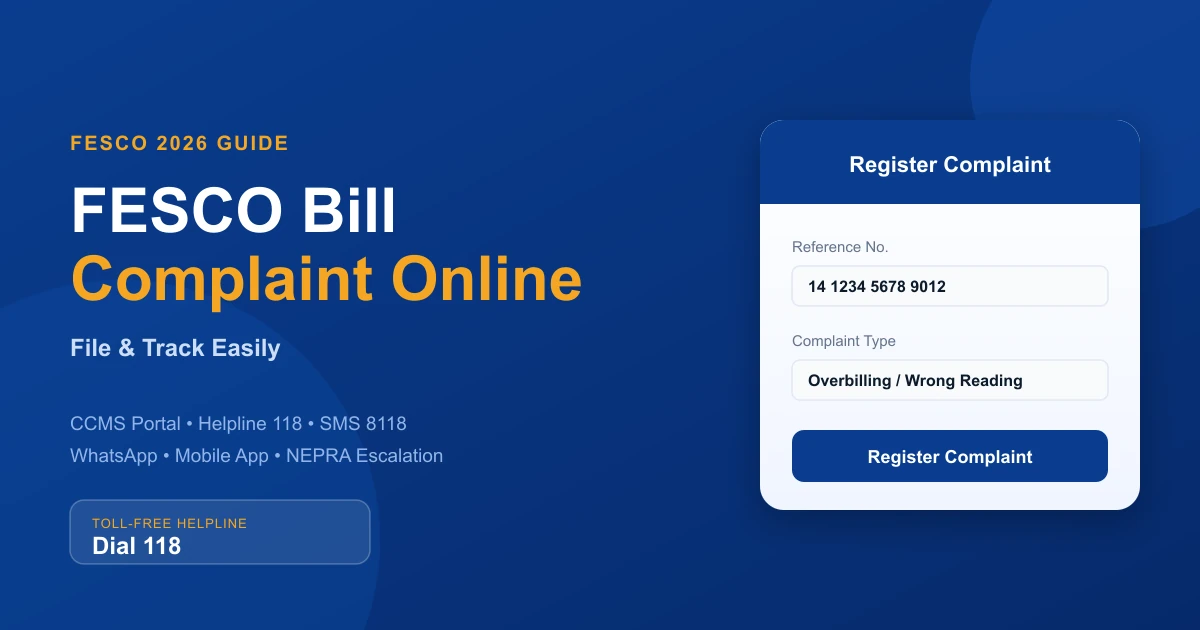
Getting a wrong electricity bill or facing a power problem can be stressful, especially when you do not know where to complain. Thankfully, Faisalabad Electric Supply Company now offers several easy and free ways to submit a FESCO Bill Complaint Online without visiting a customer service office. You can report billing errors, meter issues, load shedding, low voltage, or power outages directly from your mobile phone or computer.
In this updated 2026 guide, you will learn how to file a complaint through the official CCMS portal, helpline, SMS service, WhatsApp support, and mobile app. You will also learn how to track your complaint status and get your issue resolved quickly from the comfort of your home. If you first want to review your charges, you can check your FESCO bill online here.
Helpline
118 (Toll-Free)
Online Portal
CCMS — ccms.pitc.com.pk
Billing Resolution
Within 3 Working Days
Technical Resolution
24 to 48 Hours
What Is FESCO and Who Does It Serve?
FESCO (Faisalabad Electric Supply Company) is a major electricity distribution company operating under WAPDA and regulated by NEPRA. It was established in 1998 and currently serves approximately 4.96 million consumers across a population of 26 million people. FESCO covers these key districts:
- Faisalabad
- Jhang
- Toba Tek Singh
- Mianwali
- Sargodha
- Bhakkar
- Chiniot
- Khushab
Whether you are a domestic, commercial, or industrial consumer in any of these areas, you have the right to file a FESCO complaint online and expect a timely resolution under NEPRA's consumer protection rules.
Types of FESCO Bill Complaints You Can File Online
Before filing your complaint, it helps to identify the correct complaint category. FESCO's online portal and helpline handle the following issues:
Billing Complaints
- Incorrect meter reading on your bill
- Overbilling or unusually high electricity charges
- Fuel Price Adjustment (FPA) disputes
- Delayed bill delivery or no bill received
- Wrong consumer name, address, or CNIC on the bill
If your complaint is about charges you do not understand, our FESCO bill taxes guide explains GST, FPA, and every other line item. A wrong name on the bill isn't fixed through the complaint system — see our guide on how to change the name on your electricity bill for the correct process.
Technical & Power Supply Complaints
- Unscheduled or prolonged load shedding
- Transformer breakdown or line fault
- Low voltage supply to your area or premises
- Sparking, damaged poles, or hazardous wires
- Faulty or stopped electricity meter
Service & Connection Complaints
- New electricity connection delays
- Meter transfer or name change issues
- Meter removal without notice
- Reconnection delay after bill payment
Official FESCO Bill Complaint Online Channels (2026)
FESCO provides multiple complaint channels so every consumer can reach them, regardless of internet access. Here is a complete breakdown.
1. FESCO CCMS Online Portal (Recommended)
The Customer Complaint Management System (CCMS) is the easiest and most trusted way to file a FESCO bill complaint online. You can submit your complaint in just a few minutes by following these simple steps:
Open the Official CCMS Website
Visit ccms.pitc.com.pk in any browser on your phone or computer.
Enter Your Reference Number
Enter your 14-digit Reference Number from any old FESCO bill, or enter your registered mobile number. Not sure where to find it? See our guide on how to check your FESCO bill by reference number.
Search Your Connection
Click the Search button to load your connection details.
Select the Complaint Type
Choose the type of complaint, such as billing issue, meter problem, low voltage, or load shedding.
Choose the Correct Option
Choose the correct complaint option from the list provided.
Describe Your Problem
Write a short explanation of your problem. Example: "My electricity bill is higher than usual because of the wrong meter reading."
Register the Complaint
Click Register Complaint to submit your request.
Save Your Tracking Number
You will receive a Complaint Tracking Number. Save this number or take a screenshot for future tracking.
2. FESCO Official Website Complaint Cell
You can also submit your complaint through the official FESCO Complaint Management Cell website. The page features a simple complaint form linked to the same CCMS system, allowing you to register and track your FESCO complaint online.
3. FESCO Helpline – Call 118 or 111-000-118
For urgent issues or if you are unable to access the internet, call FESCO's 24/7 helpline:
- FESCO Helpline: Dial 118 for direct support (toll-free)
- UAN Number: 0800-66554
- Headquarters Complaint Line: 111-000-118
- Email: complaint@fesco.com.pk
This helpline operates 24 hours a day, seven days a week, including public holidays. Once you register a complaint by phone, you will receive a complaint reference number for tracking.
4. FESCO SMS Complaint Service
If you have no internet access, you can still file a FESCO bill complaint via SMS. Here is how:
Open Your SMS App
Open the SMS app on your phone.
Type Your Message
Type: PITC [space] Your 14-digit Reference Number
Send to 8118
Send the message to 8118.
Receive Your Complaint Number
You will receive an SMS with your complaint number and expected solution time.
✅ SMS Example
PITC 12345678901234 → Send to 8118
5. FESCO WhatsApp Complaint System
FESCO has introduced a WhatsApp-based complaint system for added convenience. To use it:
- Send your Reference Number to FESCO's official WhatsApp number
- Include your Consumer Name and a brief description of the problem
- You will receive a complaint acknowledgment with a tracking number
6. FESCO Mobile App (FESCO HELP / CCMS Plus)
The FESCO Mobile App is available on both Android and iPhone. You can download it from the Google Play Store or Apple App Store by searching for "FESCO" or "FESCO HELP."
With the app, you can:
- File and track complaints easily
- Check and download duplicate bills
- View electricity usage details
- Apply for a new connection
- Use the bill estimate calculator
The app is useful for people who want to manage all FESCO services from one place on their phone. To learn more about getting a copy of your bill, read our FESCO duplicate bill guide.
Federal Power Complaint Portal
You can also submit complaints through the official Federal Government power complaint portal (Power Division Complaint Portal). This portal handles complaints for all electricity companies in Pakistan, including Faisalabad Electric Supply Company. It is helpful for serious issues or complaints related to electricity rules and regulations.
How to Track Your FESCO Bill Complaint Online
After submitting your complaint, you can easily check its status online.
Open the Complaint History Page
Go to the CCMS Complaint History page at ccms.pitc.com.pk/complainthistory.
Enter Your Tracking Number
Enter your Complaint Tracking Number.
View the Status
Click Search or View Status. You will see the latest updates, complaint status, and the team handling your issue.
Usual Complaint Resolution Time
- Power outage, low voltage, or meter problems: usually solved within 24 to 48 hours
- Wrong bill or overbilling complaints: usually solved within 3 working days
How to Escalate an Unresolved FESCO Complaint
If your complaint is not resolved within the expected timeframe, you have the right to escalate it through official channels.
Step 1 – Escalate to FESCO Head Office
Contact FESCO's Head Office directly:
- Address: Faisalabad Electric Supply Company (FESCO), West Canal Road, Abdullahpur, Faisalabad, Pakistan
- Phone: +92-41-9220184
- Email: complaint@fesco.com.pk
- Website: www.fesco.com.pk
Step 2 – File with NEPRA (National Electric Power Regulatory Authority)
If FESCO fails to resolve your complaint after escalation, you can file a formal grievance with NEPRA at power.gov.pk/Complaints. NEPRA investigates unresolved consumer grievances and ensures electricity companies remain accountable. To escalate to NEPRA:
- Visit the NEPRA consumer complaint portal at power.gov.pk
- Create an account or log in
- Select "File a Complaint" and choose your distribution company (FESCO)
- Upload your complaint tracking number, previous correspondence, and supporting documents
- NEPRA will review the case and notify FESCO to respond within a set timeframe
Tips for Filing a Successful FESCO Bill Complaint Online
Follow these best practices to ensure your FESCO complaint is processed quickly and resolved effectively.
Provide Accurate Information
Always double-check your 14-digit Reference Number, CNIC, and contact number before submitting. Incorrect details cause delays in processing.
Be Clear and Specific
When writing your complaint, explain the problem in simple, clear terms. Mention the billing month, the incorrect bill amount, and any previous complaint if you have already contacted Faisalabad Electric Supply Company.
🔴 Write a Clear Complaint
Do not write unclear messages like: "My bill is wrong." Instead, write something specific like: "My May 2026 bill shows 780 units, but my meter reading is only 410 units."
Attach Supporting Documents
If you are filing a billing dispute, attach a photo of your meter reading, your previous bills, or any payment receipts. These documents significantly speed up the investigation.
Save Your Tracking Number
Never discard your complaint tracking number. It is your reference for all follow-ups, escalations, and communication with FESCO or NEPRA.
Follow Up Regularly
Check your complaint status on the CCMS portal every 24 to 48 hours. If there is no update after the expected resolution time, call the helpline with your tracking number ready.
FESCO Complaint Contact Numbers and Portals – Quick Reference
Use this quick reference table to reach FESCO through your preferred channel:
| Service | Contact / Portal | Availability |
|---|---|---|
| CCMS Complaint Portal | Online CCMS Portal | 24/7 |
| FESCO Complaint Cell | FESCO Website Complaint Cell | 24/7 |
| FESCO Helpline | Dial 118 | 24/7 |
| UAN Contact Number | 0800-66554 | Business Hours |
| HQ Complaint Line | 111-000-118 | 24/7 |
| SMS Complaint Service | Type PITC [Reference Number] and send to 8118 | 24/7 |
| Email Support | complaint@fesco.com.pk | 24/7 |
| Mobile App | FESCO | 24/7 |
| Federal Complaint Portal | Power Division Complaint Portal | 24/7 |
Frequently Asked Questions
Can I file a FESCO complaint without visiting the office?
Yes. FESCO offers multiple online complaint options, including the CCMS portal, mobile app, SMS service, WhatsApp, and the official website, all of which allow you to file and track complaints without any office visit.
What is the FESCO complaint number?
The main FESCO complaint helpline number is 118 (toll-free). You can also call 111-000-118 for the headquarters complaint line or 0800-66554 as the UAN contact number.
How long does FESCO take to resolve a billing complaint?
FESCO typically resolves billing complaints within 3 working days and technical complaints (power outages, meter faults) within 24 to 48 hours. If your complaint is not resolved within this time, you can escalate it to the FESCO Head Office or NEPRA.
What is my 14-digit Reference Number?
Your 14-digit Reference Number is printed on every FESCO electricity bill, usually highlighted on the right-hand side. You need this number to access the online portal, file an SMS complaint, or check your bill status.
Can I track my complaint status online?
Yes. Visit ccms.pitc.com.pk/complainthistory and enter your Complaint Tracking Number to view real-time updates on your complaint status, assigned team, and resolution notes.
What if FESCO does not resolve my complaint?
If FESCO fails to resolve your issue even after escalation to the Head Office, you can file a formal complaint with NEPRA at power.gov.pk/Complaints. NEPRA is the national electricity regulator and has the authority to investigate and direct FESCO to resolve consumer grievances.
Key Takeaway
You can file a FESCO bill complaint online for free through the CCMS portal, helpline 118, SMS to 8118, WhatsApp, or the mobile app. Always save your Complaint Tracking Number, follow up every 24–48 hours, and escalate to the Head Office or NEPRA if your issue is not resolved on time.
Conclusion
Filing a FESCO bill complaint online is now simple and quick. You can use the official complaint portal, helpline, SMS, WhatsApp, or mobile app to report electricity and billing problems from home. After submitting your complaint, save your tracking number so you can check the status later.
If your issue is not solved on time, you can also contact NEPRA for further help. Share this guide with your family and friends in Faisalabad, Jhang, Sargodha, Mianwali, and other FESCO areas so they can easily solve their electricity complaints too. You can also check your FESCO bill online anytime to keep an eye on your charges.
Related Guides
- Check FESCO Bill by Reference Number Online
- FESCO Bill Taxes Explained — GST, FPA & All Charges
- FESCO Duplicate Bill — Download & Print Free
- FESCO New Connection Application — ENC Online Guide
- How to Change Name on Electricity Bill in Pakistan
- FESCO Bill Calculator — Estimate Your Bill Free
- FESCO Online Bill Check — Homepage

Shahzad Mahmood
Sub-Divisional Officer (SDO), FESCO
Shahzad Mahmood is a Sub-Divisional Officer (SDO) at Faisalabad Electric Supply Company (FESCO) with hands-on experience in electricity distribution, metering, and consumer billing. He reviews the guides on this site to keep the bill-checking steps, tariffs, and complaint procedures accurate and up to date.
View LinkedIn Profile